 Commbot
Commbot AI: an assistant that knows your store and answers from your data
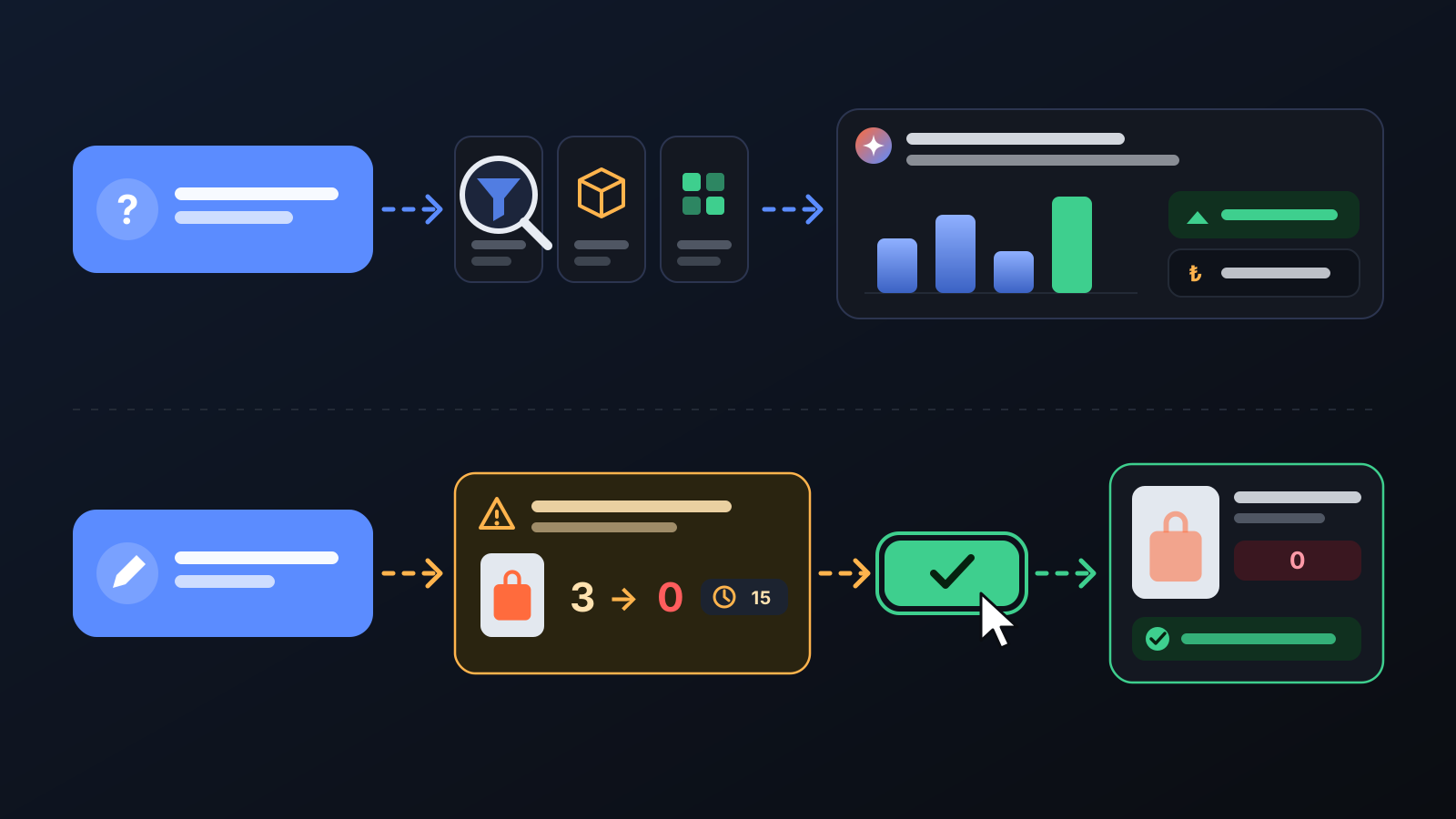
Commbot AI is an assistant built into the panel. It answers your question by looking at your store's own data; when a change is needed it first shows what it will do, and nothing changes until you approve.

"How many people viewed my listings today?", "Which products get added to carts but don't sell?", "Find me 10 good products to upload this week." The answers are in the panel, but spread across several pages. Commbot AI understands the question, gathers what it needs from your store's data and sums it up in one answer.
How it works
- Open Commbot AI from the left menu, or click the icon at the bottom right of any page. Write your question in plain language.
- Depending on the question, the assistant looks at your store's data: today's sales funnel, orders, product and catalog search, operation history, notifications. It answers with figures.
- For a change request (e.g. "take this product off sale") it first describes what it will do, and Approve and Cancel buttons appear. Nothing changes until you approve; the approve button stays valid for 15 minutes.
- If you prefer, switch the mode selector to direct apply: the assistant acts without asking, but your store's safety rules still apply and every action is recorded.
- Your chats are saved: go back to an earlier one from the chat list on the right, or start a new one.
What it affects
- Finding products: searches the catalog and suggests products suited to your store; with your approval it adds the one you pick to your store as a draft, or adds it from a supported brand's product link.
- Upload preferences: when you say "sell this kind of product" or "never upload this", it updates your priority and unwanted word lists with your approval.
- Taking off sale: takes a listing off sale with your approval: its stock is set to 0, the card is not deleted.
- Deactivation queue: lists the listings waiting for your approval to be deactivated and applies your decision.
- Panel guide: explains where a setting is and what a page is for.
For better results
- Ask precisely: give a period ("last 7 days"), a product ("this bag") or a number ("10 products").
- Ask first, then act: ask "Which products don't sell?", look at the list, then say "remove these".
- Start with approval mode: you read every change before the assistant makes it.
- The assistant works on Ozon and your store; it declines requests on other topics in one short sentence.
More from Commbot

Analytics page: what sells in your store and what doesn't, on one screen
See how your products do by category, brand, price, colour, size and region, in charts. The page turns findings into plain sentences and gives one-click suggestions.
2026-10-29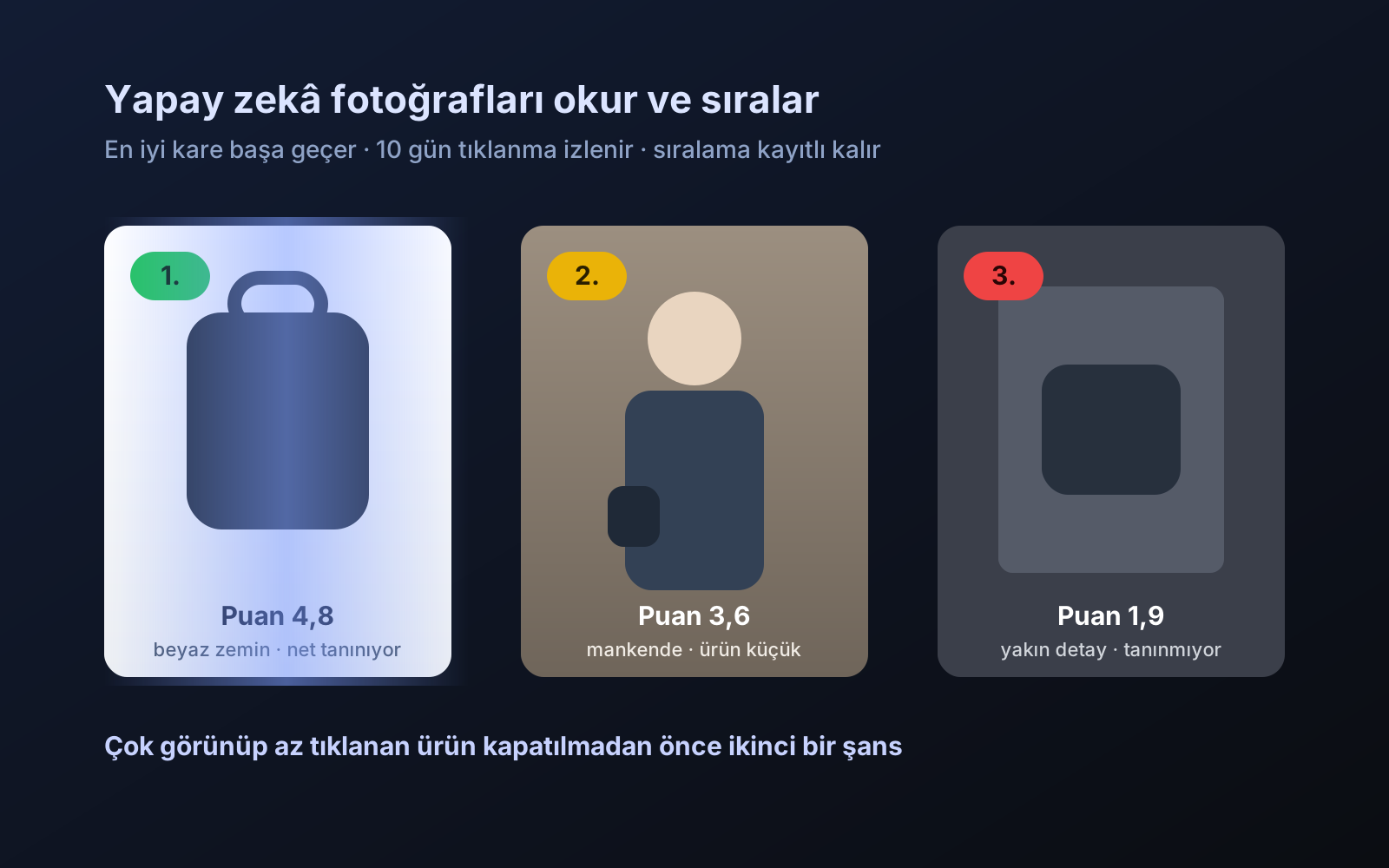
Photo trial before swap
We have improved our system for turning products on and off. It is still in a trial stage, but you can already use it.
2026-10-28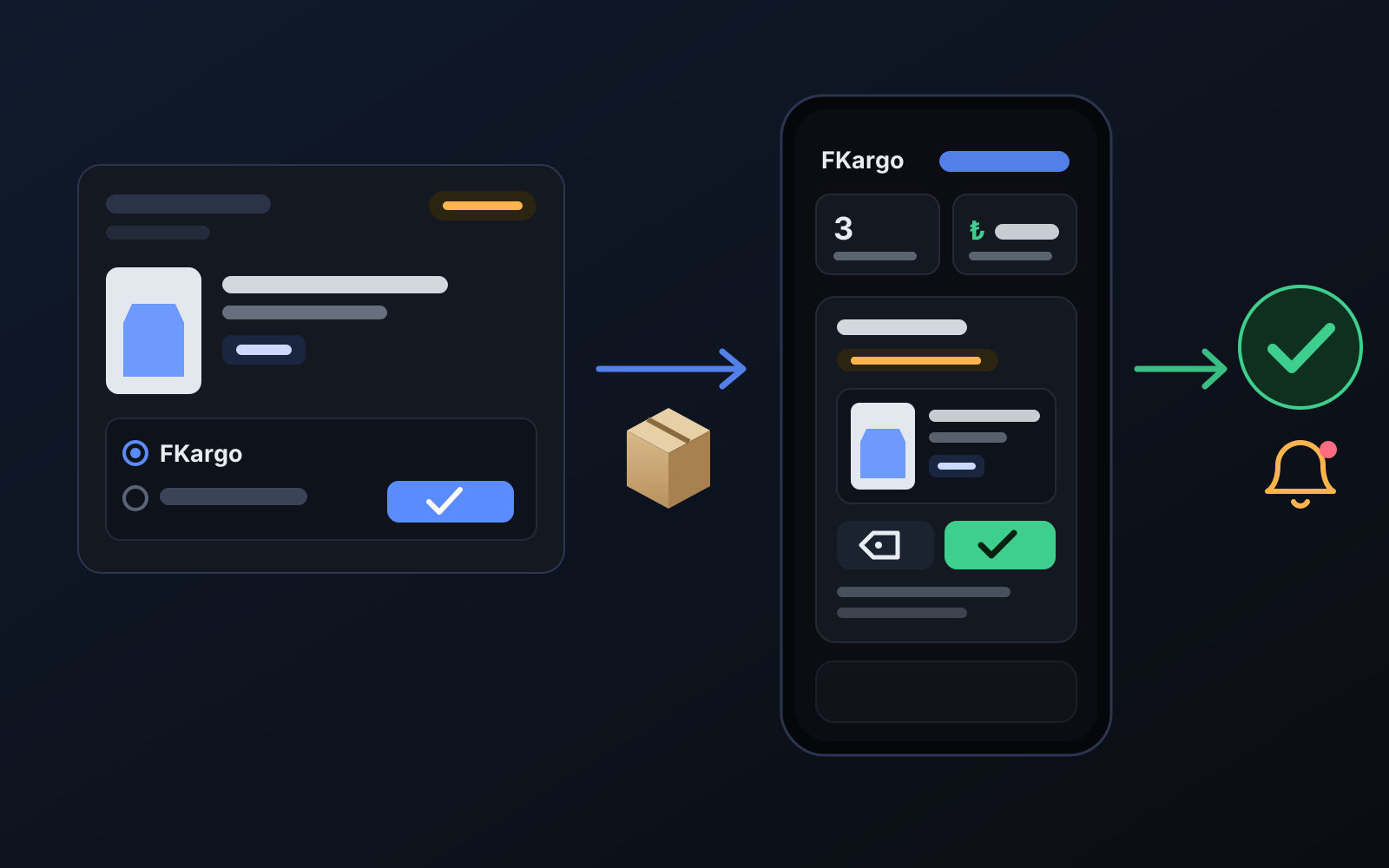
Shipping partners: hand your orders to FKargo and see when they are shipped
Order the item from the brand to FKargo’s address; FKargo puts on the Ozon label and drops the parcel at the shipping point. One-click forwarding and automatic forwarding in Incoming orders.
2026-10-20